How the pause works
- Open the menu on the Today screen and choose Not feeling well.
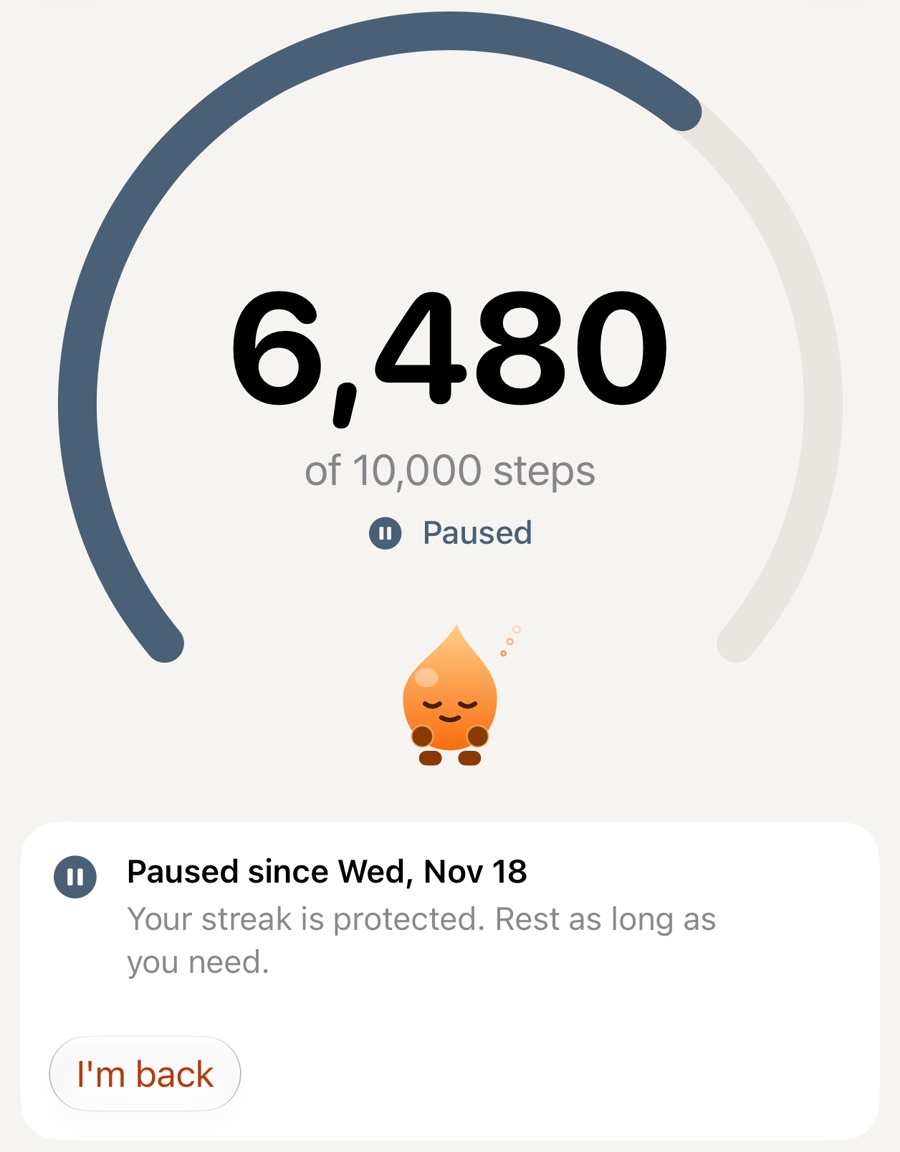
- Your streak waits. The arc turns grey-blue and the screen shows the date the pause began.
- Rest as long as you need, up to 30 days for each pause. There are no reminders.
- Tap I’m back when you are. Your streak continues from where it stopped.
The pause is free and part of every rule set, Strict included.
Mon10,500: Goal met
Tue10,200: Goal met
Wed2,100: Paused
Thu900: Paused
Fri3,400: Paused
Sat10,100: Goal met
Sun11,300: Goal met
- Goal met
- Paused
- Goal: 10,000
Paused days stay honest
- A paused day is shown as paused. It is never shown as a goal day, and it is not added to the streak number.
- The steps you did take stay in your history.
- Nothing has to be walked back afterwards.
If you forgot to pause
If the missed day was yesterday and your rules allow it, you can recover it with extra steps, unless a saved rest day has already covered it. With Stridune Pro you can also mark a past day as a sick day.
A note on health
Stridune does not tell you when to rest or when to start walking again. That is your decision, and your doctor’s if you need one. The pause is only there so that a streak never becomes a reason to walk when you should not.