Counting your steps
Where do my steps come from?
Your history comes from Apple Health. Stridune reads it and never writes to it.
For today, Stridune also uses the step counter in the device you are holding to show the steps you took in the last minutes, before Apple Health has received them. Once Health has them, Health’s number takes over.
Your iPhone and Apple Watch often record the same walk, so the two device numbers in a day’s details overlap and do not add up to the day’s total.
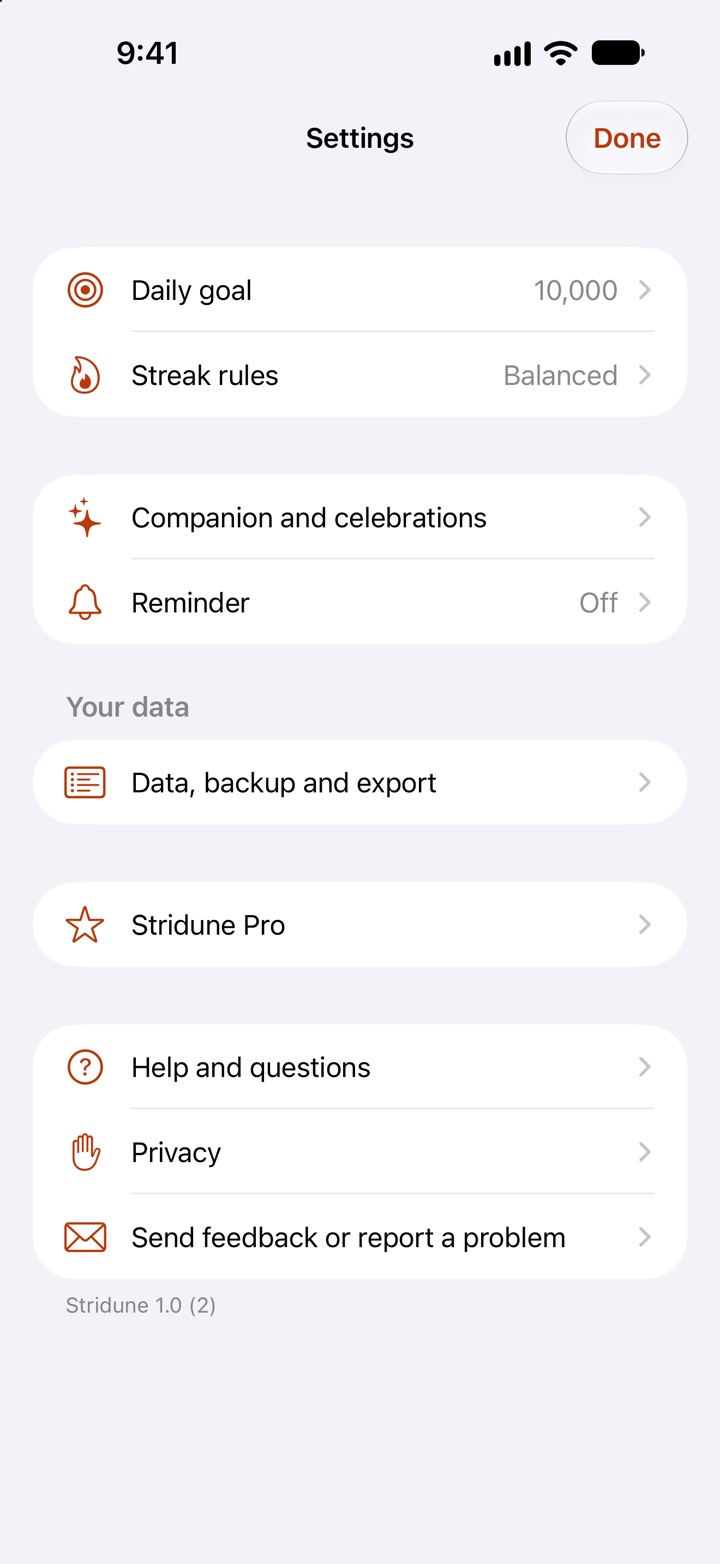
Open a day and look at “Where the count comes from” to see each device, the hourly pattern and when the data was last read. In Settings, open “Data, backup and export”. “Today’s number” shows how today’s count is built up.
Why can Stridune differ from another step app?
Apps combine iPhone and Watch data in different ways and read it at different times. Apple Health keeps one device when both recorded the same minutes, which can drop steps when the other device counted more.
Stridune has two counting methods in Settings under “Data, backup and export”. “Apple Health total” matches the Health app. “Optimized merging” is Stridune’s own method for people with an iPhone and an Apple Watch: it takes the device that counted more for each short stretch of the day, never goes below the Health total, and usually lands close to other apps that merge devices.
A difference of about one percent between apps that merge devices is normal. If a whole walk is missing, check that the Watch has synced and pull down on Today to read again.
Can I remove steps that were not real walking?
Yes. Open the day and choose “Remove steps that were not walking”. This is a correction inside Stridune only. Apple Health and other apps keep the original count.
The original count stays visible, the correction can be undone at any time, and your streak is recalculated.
Stridune cannot delete records made by your iPhone, Watch or other apps, and it cannot add steps. To change the data for every app, use the Health app: Browse, Activity, Steps, then Add Data or Show All Data. Stridune follows such changes in both directions the next time it reads Health.
Stridune shows no steps. What should I check?
Open the Settings app, then Health, Data Access & Devices, Stridune, and allow reading Steps.
For privacy reasons Apple does not tell an app whether you refused access, so Stridune can only say that no data was returned.
Also check that your iPhone or Watch is recording steps in the Health app.
Streak and rules
How is the streak counted?
The streak counts goal days and recovered days in your current run. Rest days, pauses and days off keep the run alive but are not counted.
While a recovery is still open, or a day has no data yet, the streak is marked provisional.
What do the day results mean?
Goal met: that day’s own steps reached the goal.
Recovered: the day fell short and was recovered by extra steps inside an approved recovery window.
Recovery pending: a recovery is still open. It is not a success yet.
Rest day: an earned rest day protected the streak. It is not counted as a goal day.
Paused: an illness pause protected the streak. Nothing has to be recovered.
Missed: the goal was not reached and nothing covered the day. The streak starts again the next time you meet your goal.
No data: Stridune has no step data for the day and does not treat it as zero.
How do rest days work?
You choose your rules. With the Balanced rules, the default, every six days on which you meet your goal earn one rest day, and you can keep one in reserve. A saved rest day is used automatically when you miss a day. With Pro you can set these numbers yourself.
A rest day is not a store of steps. It does not add steps to any day and it does not earn another rest day.
What if I am ill?
Choose “Not feeling well” in the menu on Today. Your streak is paused and protected until you tap “I’m back”. Nothing needs to be recovered and reminders stop.
Paused days are shown as paused. They are never shown as goal days.
Do extra steps carry over to another day?
No. Extra steps stay in your history and averages, but 15,000 steps today never pays for a short day tomorrow.
The only exception is a recovery you have approved: after a marked miss, steps above your goal on the following day or days can recover that one earlier day. The recorded counts of both days stay as they are.
Widgets and Apple Watch
How current are widgets and complications?
Widgets and complications cannot be live. iOS and watchOS give every app a limited number of widget updates per day, to protect your battery. In practice a widget or complication can update as often as every 15 minutes. The system decides when, and waits longer in Low Power Mode.
Inside the app the count is live, within seconds. Each time you open Stridune, its widgets are updated at once.
While your iPhone is locked, Apple Health is encrypted and cannot be read. During that time the widget keeps counting with the iPhone’s own step counter, so steps taken with only the Watch on you can appear a little later, after the next unlock.
After midnight a widget shows that today’s count is still waiting until the first reading of the new day.
Stridune does not keep itself running in the background with workouts, audio or location. That would drain your battery.
My widget or complication does not update
First give it a quarter of an hour: that is the normal rhythm Apple allows.
Open Stridune once on the device where the widget is. That updates all its widgets immediately and shows whether the app itself has the right number.
Check Low Power Mode. With it on, iOS and watchOS update widgets much less often.
Check access: in the Settings app, open Privacy & Security, then Health, then Stridune and allow Steps. Under Motion & Fitness, allow Stridune as well, so the count can move while the iPhone is locked.
On Apple Watch, the complication updates best when Stridune is on your current watch face. Apps without a complication on the active face get fewer background updates.
If the number is stuck for hours, remove the widget and add it again, or restart the device. If it still does not update, send us a message from Settings, Send feedback or report a problem. The technical details that go with it tell us what the widget last managed to do.
Pro and your iPhone
What is in Stridune Pro?
The free app is complete for daily use: counting, history, averages, the three rule sets, earned rest days, illness pause, next-day recovery, corrections, backup, standard widgets and the Watch app, Pip and the characters you earn by walking.
Pro adds Streak Shield, which handles a missed day for you; Individual rules, where you set every number yourself; longer recovery windows and marking a past sick day; Match my old streak; an evening rescue reminder and a weekly review; days of the week without a goal and long-term goals; the week widget; and four more Pips: Aurora, Prism, Shadow and Recon. It also keeps Stridune independent: no ads and no data sales.
Accuracy, corrections, privacy, accessibility and fixes are never part of Pro. If Pro ends, for example after a refund, your history and past results stay exactly as they were.
How do I move to a new iPhone?
If you set up the new iPhone from your iPhone backup, Stridune’s settings and decisions come along and your steps are read again from Apple Health.
You can also save a backup file in Settings under “Data, backup and export”, then “Backup and export”, and restore it on the new iPhone. Purchases are restored with “Restore purchase” under Stridune Pro.
Longer answers, step by step
- Step widget not updating: what to checkSix things to try, in order.
- Apple Watch steps not syncing to iPhoneWhat to check when the Watch’s steps do not arrive.
- Why your iPhone and Apple Watch show different stepsTwo devices, one walk, two numbers.
Still stuck? Write to us
Write to us. In the app, open Settings and choose “Send feedback or report a problem”. Or see Support and contact.